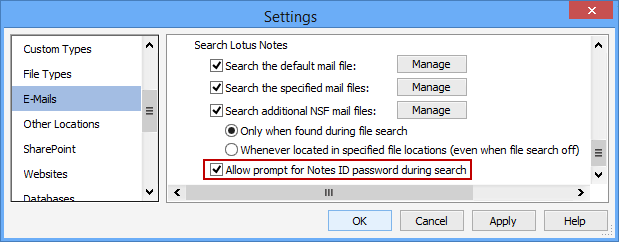
The Allow Prompt for Notes ID Password During Search setting will allow Spirion to display a prompt for a Notes ID password while the search is running. Because a prompt will, in effect, pause a search while waiting for user input, this may not be desirable. When this setting is cleared, if the necessary credentials are not available, a message will be written to the log and the affected nsf file(s) will be skipped.
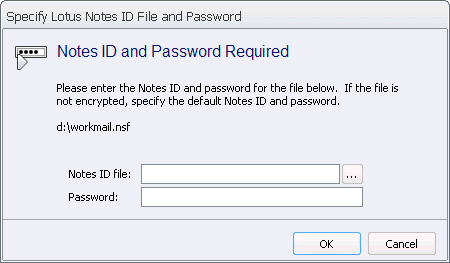
When this setting is enabled, the following dialog can be displayed during the search. The name of the nsf file to be search is displayed and fields provided to enter a Notes ID file and password. If the specified nsf file is not encrypted, specify the default Notes ID and password. If you click Cancel, the specified mail file will not be searched.
To view or modify this setting, click the Configuration ribbon, then the Settings button and then select the E-Mails page. For additional settings please refer to View and Manage E-Mail Applications to Search or Settings to Customize Your Experience.